Pay with Bitcoin ⚡

Bitcoin payments across South Africa — in-store and online — powered by the Lightning Network.

Quick start
🏪
Paying in-store?
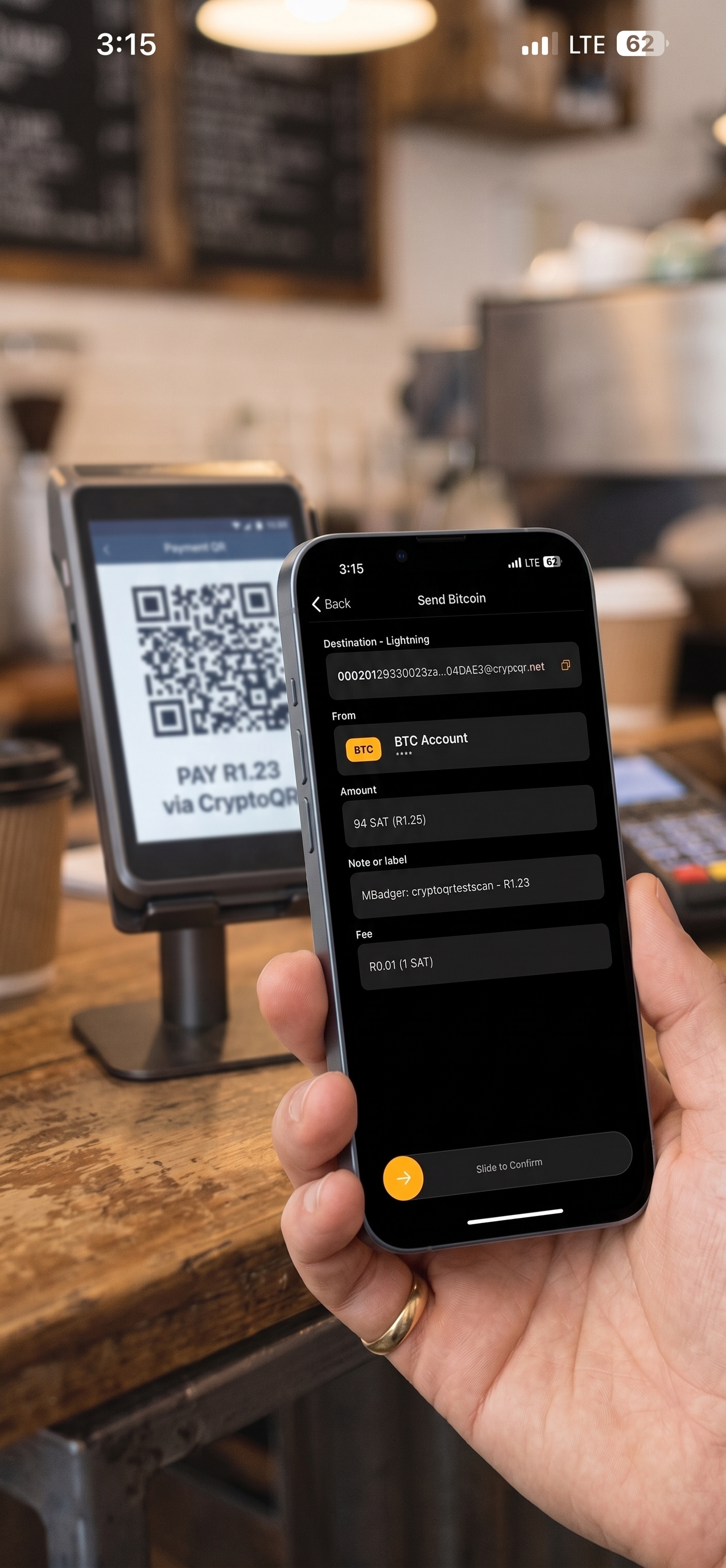
Scan the QR code at the till with your wallet or exchange app. Some wallets read SA codes directly — others need the free MoneyBadger app to decode the QR first.
See which wallets work ↓
🛒
Paying online?
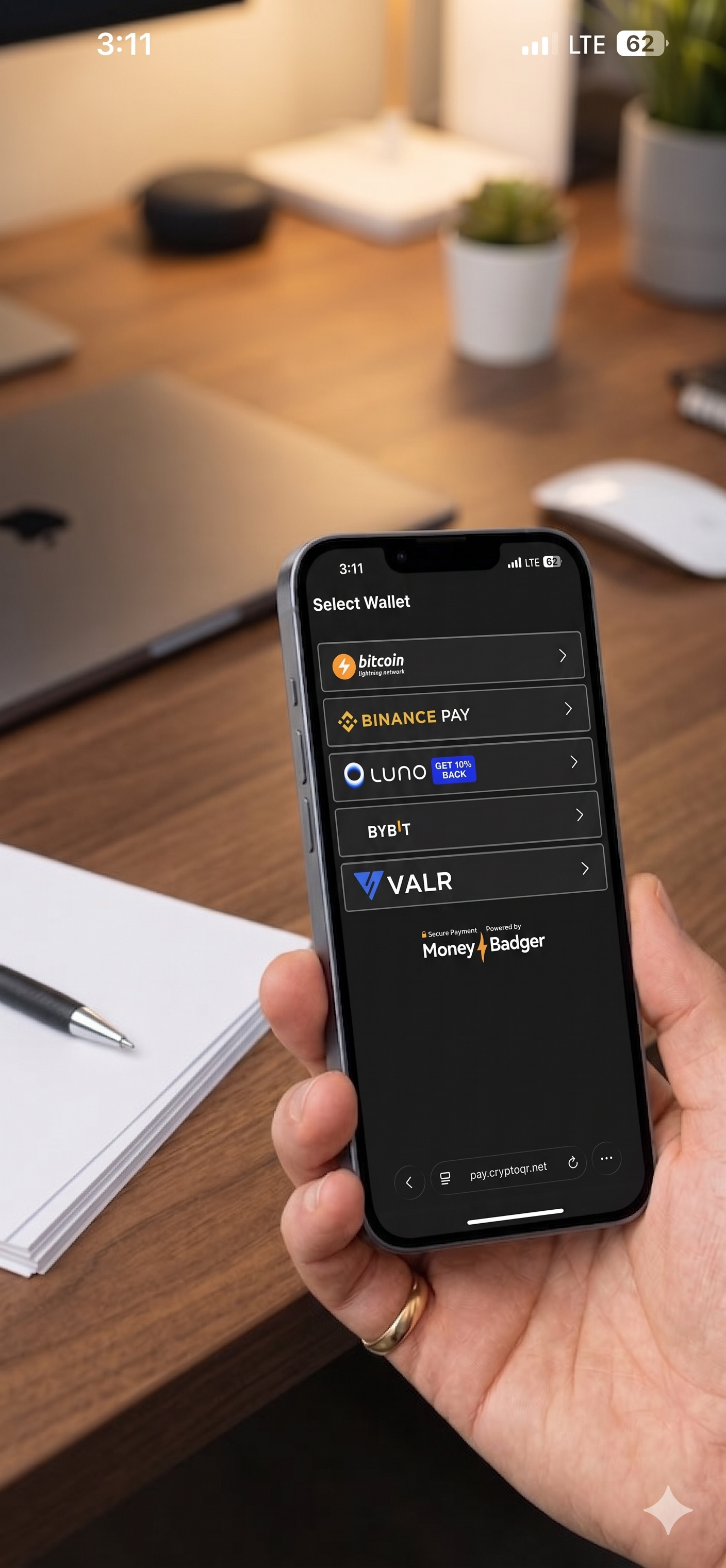
Select Bitcoin at checkout and choose your wallet. On mobile, you'll be taken straight to your wallet to complete payment. On desktop, scan the QR code with your wallet. No extra app needed.
Have Luno, VALR, Binance, or a Lightning wallet?
You can pay right now. Exchanges and some Lightning wallets scan in-store QR codes directly. Others just need the free MoneyBadger app to bridge the QR. Online, any Lightning wallet works.
See all supported wallets ↓
How it works
🏪
In-store
Pick n Pay, Zapper, Scan to Pay & more
1
Scan the QR code at the till — use your wallet directly, or the MoneyBadger app to decode it first
2
Confirm the payment in your wallet
3
Done — payment confirmed in seconds via Lightning
🛒
Online
Peach Payments, Ozow, Zapper & more
1
Select Bitcoin as your payment method at checkout
2
Choose your wallet — on mobile, tap your wallet and complete payment directly. On desktop, scan the QR code with your wallet.
3
Done — payment confirmed in seconds via Lightning
Why might I need the MoneyBadger app?

South Africa has several QR code providers — Zapper, Scan to Pay, Pick n Pay — each using a different format. Some Lightning wallets already read these codes natively (marked ✓ Direct scan below).

For wallets that don't, the free MoneyBadger app decodes the in-store QR code and hands the payment to your wallet. It opens straight to the camera — tap and scan.

For online payments, you never need the MoneyBadger app — select Bitcoin at checkout, choose your wallet, and complete payment directly.

Wallets that scan in-store QR codes directly 7

These wallets read South African in-store QR codes natively — no extra app needed. They also work for online payments.

Wallets that use the MoneyBadger app in-store 6

For in-store payments, use the free MoneyBadger app to decode the QR code — the payment opens in your wallet. For online payments, these wallets work directly at checkout.

Exchange wallets 4

Pay directly from your exchange balance — in-store or at online checkout.

Where it works

* SnapScan codes currently do not work. See our full store directory →

Payment Service Provider? Activate your network for Bitcoin payments. Contact us →

Pay with Bitcoin in-store

Scan to pay with these Wallets

Zeus, Blink, Breez, Blitz, Aqua, Luno, Binance, VALR

Supported QR codes in-store

Pick n Pay, Zapper, Scan to Pay, Peach Payments. See our map here.

MoneyBadger Companion App

Some Bitcoin Lightning wallets cannot understand the in-store QR code. In this case you need to use the MoneyBadger App to scan the code, and the payment will open in your Lightning Wallet. MoneyBadger App also supports adding tips to payments.


Payment Service Providers, want to activate your network for Bitcoin payments? Contact us: sales@moneybadger.co.za

Pay with Bitcoin online

Please note, the MoneyBadger App is only for use in-store and will not work for online payments!

Supported Wallets:

Any Bitcoin Lightning Wallet, or Exchange wallets: Luno, Binance, VALR

We support these mobile checkout providers

Peach Payments, Ozow, Zapper, Scan to Pay

We support these desktop checkout providers

Peach Payments, Ozow


Payment Service Providers, want to activate your network for Bitcoin payments? Contact us: sales@moneybadger.co.za